The goal of this page is to present important information about how VideoLive interacts directly with the Facebook and Youtube video transmition platforms.
How VideoLive Works?
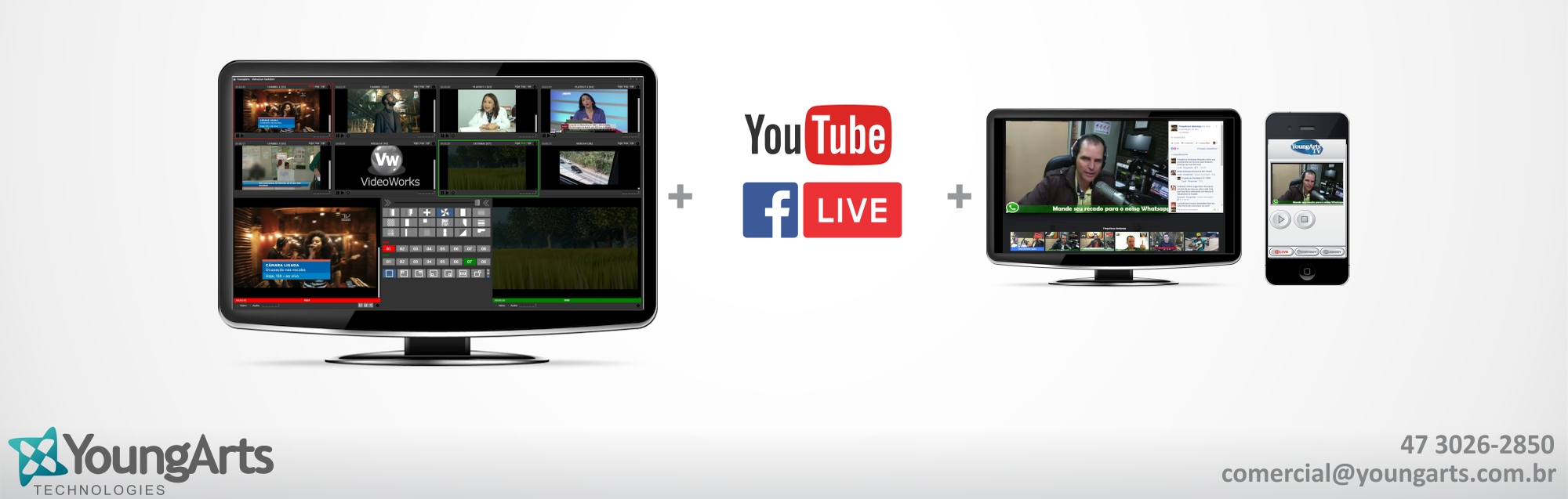
Essentially, VideoLive is a video compositing (mixer) software used to select between several (four or eight inputs depending the version) different video sources (cameras, devices, files and streaming) with special effects to combine the sources together to create internet live transmissions.
How does the user connect Facebook through VideoLive?
The authentication process of Videolive is very simple: VideoLive will open an embedded browser where you will be able to provide authorization.
Every connection made by VideoLive to your Facebook account will be confirmed by this interface.
To connect you must click on Facebook logo button at the middle the application.
Choose "Connect via Facebook" and them insert your login and password.
In the first time that VideoLive accesses your Facebook accoount you will be prompted to allow Videolive App to access your account. Besides that, you will be able to review the all information that is accessed by VideoLive.
The video below demonstrates the authorization and authentication process.
Personal Information Accessed by VideoLive
We respect your privacy and take protecting it seriously.
The information that VideoLive access from your account are held in strict confidence and is only used to to authenticate with the streaming server.
What's the Difference between VideoLive and Another Solutions
Videolive has been planned and developed with the most advanced technology in audio and video processing to the internet broadcasting.
However, the software uses a very simple and intuitive interface interface that make the user experience very easy even if the user does not have great technical experience in video broadcast.
How Can I Use VideoLive?
Basically, VideoLive can be used to any type of live video to the internet. Some examples of applications are: transmission for churches worship, radio and television studios, speeches, meetings and more.
This transmission can be performed directly to the Facebook and Youtube platforms with automatic authentication.
Benefit from great compatibility and a worry-free user experience when using Microsoft Windows 10 with VideoLive. YoungArts is one of the firsts companies of the segment to receive official Microsoft Windows 10 Ready certification. With a true testament to compatibility and performance, the YoungArts team ensures a worry-free experience when using the latest version of Microsoft Windows on your systems.
Click here to see our "Application Details View" on Microsoft Windows 10 Ready Program.